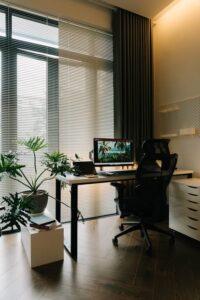
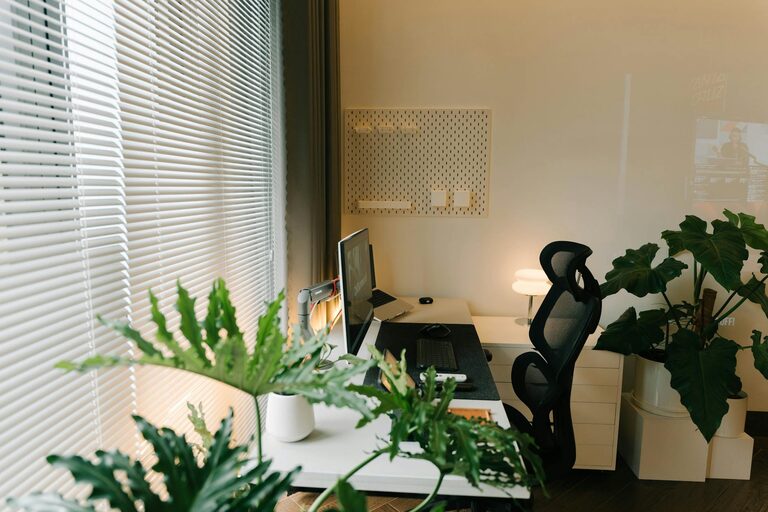
Creating a productive home office environment can make a significant difference in how efficiently and comfortably you work. Whether you’re new to remote work or looking to improve your current setup, the right environment helps maintain focus and keeps distractions at bay. In this post, we’ll cover practical tips to help you design a home office that supports productivity and well-being.
Choose the Right Location
Your home office location sets the foundation for your work environment.
– Find a quiet spot: Select a room or corner away from high-traffic areas in your home to minimize noise and interruptions.
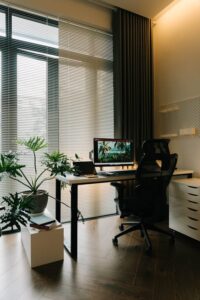
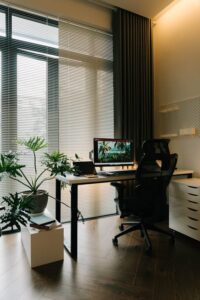
– Consider natural light: If possible, place your desk near a window to benefit from natural sunlight, which can enhance mood and focus.
– Define your work zone: Even a small dedicated space, separated visually or physically from other living areas, helps establish a work mindset.
Invest in Comfortable and Functional Furniture
Comfort and ergonomics play crucial roles in productivity.
– Choose an ergonomic chair: A supportive chair reduces strain on your back and shoulders during long work hours.
– Use a desk at proper height: Your desk should allow your arms to rest comfortably at a 90-degree angle when typing or writing.
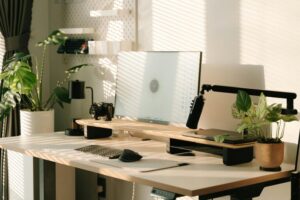
– Consider accessories: Items like a footrest, monitor stand, or adjustable keyboard tray can enhance comfort and posture.
Organize for Efficiency
An orderly workspace helps you stay focused and reduces stress.
– Declutter regularly: Keep only essential items on your desk to avoid distractions.
– Use storage solutions: Shelves, drawers, and organizers can keep supplies and documents neat and accessible.
– Implement a filing system: Whether digital or physical, a clear filing method makes it easier to find important materials quickly.
Optimize Lighting and Screen Setup
Good lighting and screen arrangements protect your eyes and improve concentration.
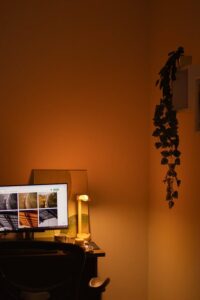
– Balance natural and artificial light: Avoid glare on your screen by positioning your desk perpendicular to windows. Use adjustable desk lamps to supplement lighting.
– Adjust screen height and distance: Your monitor should be at eye level and about an arm’s length away to prevent neck strain and eye fatigue.
– Consider blue light filters: Screen settings or glasses with these filters can reduce eye strain during extended computer use.
Minimize Distractions
Limiting interruptions boosts your ability to focus on tasks.
– Set clear boundaries: Communicate your work schedule and space to family or roommates to reduce disturbances.
– Turn off unnecessary notifications: Silence phone alerts or app notifications that are not work-related during focused work times.
– Use noise-canceling headphones: These can help block out background noise and improve concentration, especially in shared spaces.
Personalize Your Space
Small personal touches can make your workspace inviting without adding clutter.
– Add plants: Indoor plants improve air quality and add a calming, natural element.
– Include inspiring elements: Photos, artwork, or motivational quotes can enhance your mood and motivation.
– Choose your color palette: Surround yourself with colors that energize or soothe you, depending on the mood you want to create.
Encourage Movement and Breaks
Physical comfort and regular breaks support sustained productivity.
– Incorporate a stand-up desk or adjustable workstation: Changing positions prevents stiffness and improves circulation.
– Schedule short breaks: Follow techniques like the Pomodoro method, taking brief pauses every 25-50 minutes to rest your eyes and stretch.
– Create a break area: If space allows, have a comfortable spot nearby for quick mental refreshment away from your desk.
Use Technology Wisely
Technology can streamline work but also cause distraction if not managed well.
– Choose reliable tools: Use software and devices that suit your work needs to avoid frustration.
– Organize digital files: Keep your desktop and cloud storage tidy with clear folder structures.
– Set up backups: Regularly back up important files to prevent data loss.
Maintain Good Air Quality and Temperature
Environmental comfort impacts your alertness and health.
– Ensure proper ventilation: Open windows or use air purifiers to keep air fresh.
– Control room temperature: Keep the space comfortable — not too hot or cold — to avoid discomfort.
– Stay hydrated: Keep water nearby to stay refreshed throughout your workday.
—
By implementing these tips, you can create a home office environment that supports your productivity, health, and overall work satisfaction. Remember that everyone’s ideal workspace is different — take time to experiment and adjust your setup until it fits your unique needs. A well-designed home office not only helps you work efficiently but also makes your remote work experience more enjoyable.